Facebook ads cloaking: what Meta's ad review checks and how to set up a cloaker
9 min · September 22, 2026
Google names cloaking in its Circumventing Systems policy and treats it as an egregious violation. This guide covers what Google actually sends to your landing page, how the AdsBot crawlers and IP ranges are published, what gclid, gbraid and wbraid mean for a filter, and how a cloaker is configured and verified with Google's own tools.
Google Ads cloaking is the practice of showing Google's review systems a different landing page than the one buyers see. Google is more explicit about it than any other ad network: cloaking is listed by name in the Circumventing Systems policy, and a confirmed violation can suspend the account without a prior warning. This guide is not about "beating" that policy. It explains what Google's crawlers actually do on a landing page, which signals a filter can use, how a KLO campaign is configured for Google traffic and how to verify the result with Google's own tools.
The Facebook version of this guide is here; the two networks check landing pages in very different ways.
The Circumventing systems policy has a dedicated Cloaking section. Google's wording: cloaking is showing different content on your website to different people or to Google in order to hide things that might break Google Ads' rules. Showing slightly different content is fine, for example different languages, offers by region or a lighter page for slow connections, but the promoted product or service has to be the same for everyone. Click trackers and redirects are allowed as long as they are not used to hide a policy violation.
The examples Google gives are the ones a cloaker produces by design: showing Google a landing page that complies with the policies while showing people different content, an intrusive interstitial that blocks Google's access to the page, leading users to a website on an entirely different topic while hiding this from the crawlers, and sending users to a policy-violating page even within the same domain.
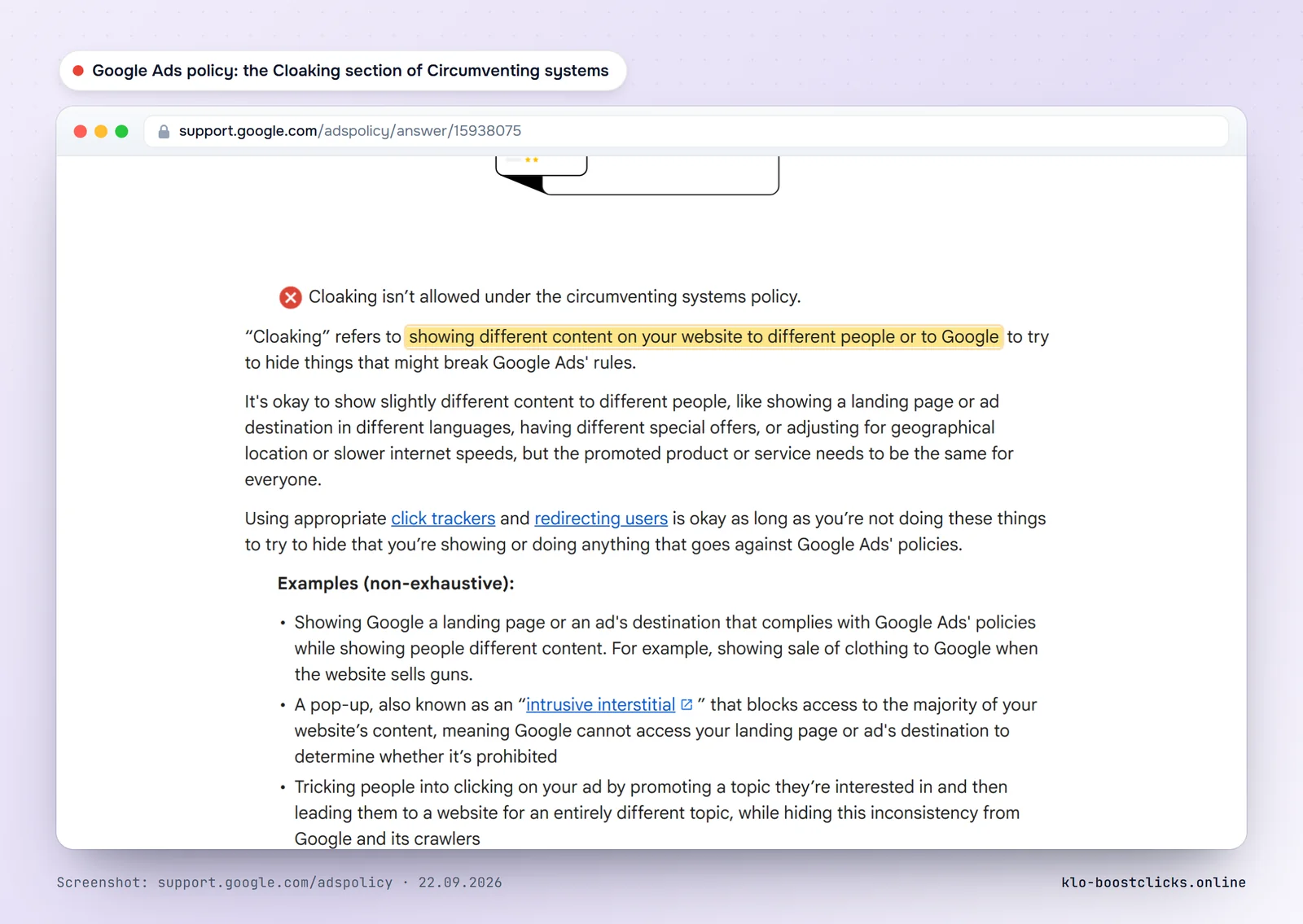
The important word in the policy is egregious. Circumventing systems is one of the policies Google treats as an egregious violation: in Google's own words, accounts are suspended upon detection and without prior warning, the advertiser is not allowed to advertise with Google Ads again, and accounts are only reinstated in compelling circumstances. In practice the suspension extends to related accounts as well.
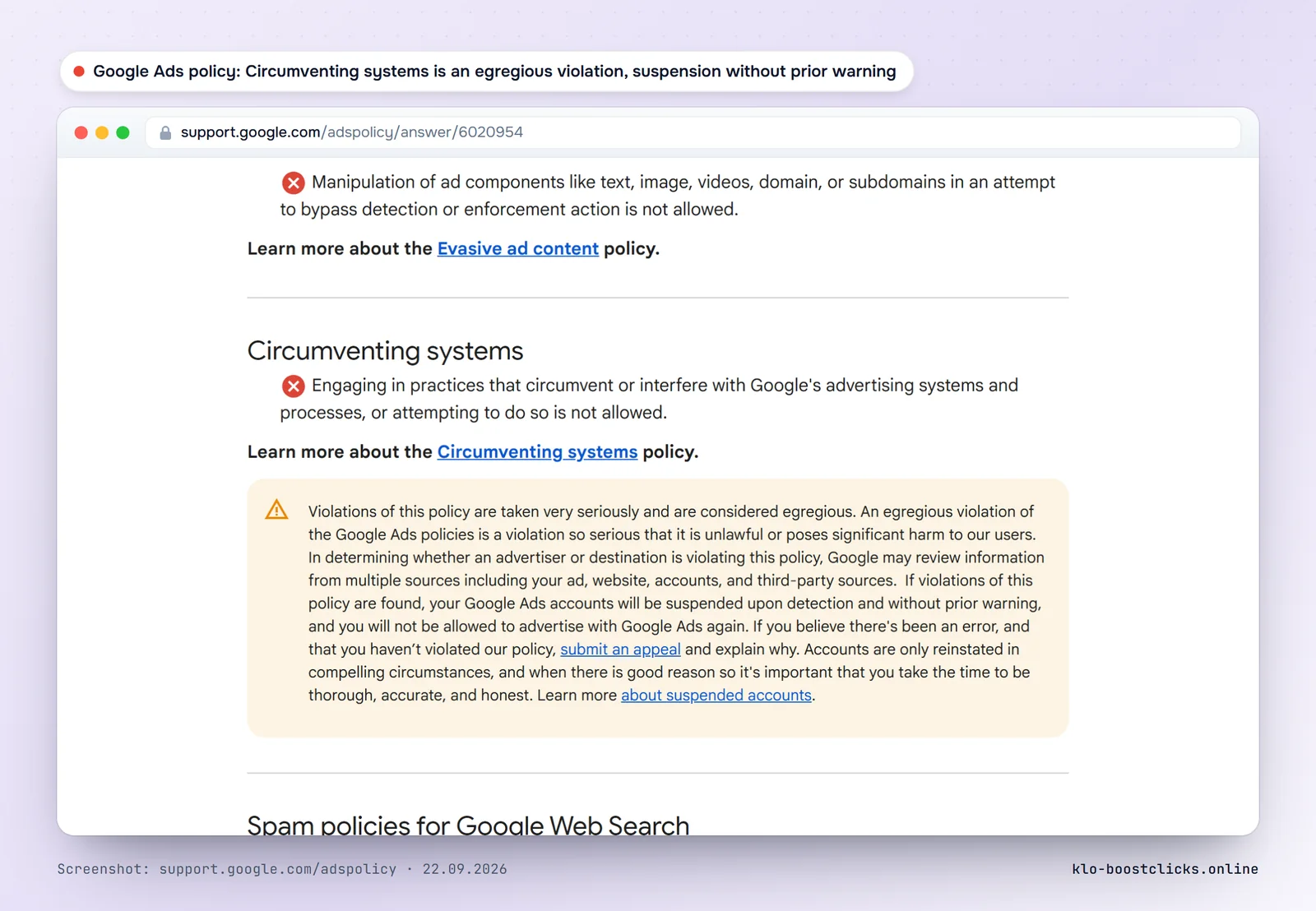
Two practical consequences. First, Google does not need to prove that the offer page violates another policy: the mismatch itself is the violation. Second, the review is continuous. Landing pages are re-crawled during the life of a campaign, not only at approval.
Google documents which crawlers check ads and how they behave. For a landing page filter the relevant ones are the special-case crawlers.
| Crawler | User-Agent token | Behaviour |
|---|---|---|
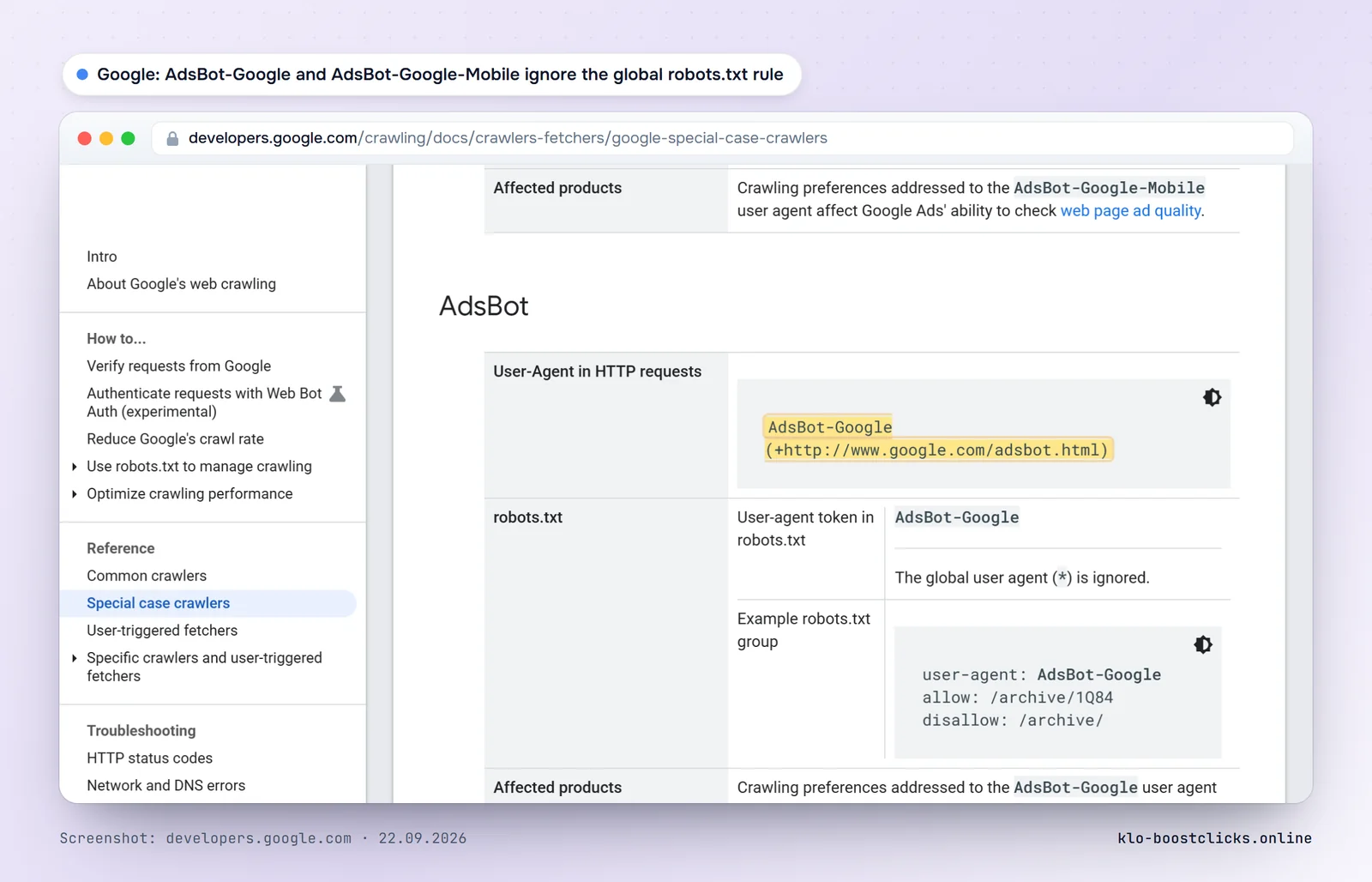
| AdsBot-Google | AdsBot-Google (+http://www.google.com/adsbot.html) | Checks ad landing page quality on desktop. Ignores the global User-agent: * rule in robots.txt. |
| AdsBot-Google-Mobile | AdsBot-Google-Mobile with an Android or iPhone browser string | Checks the mobile version of the landing page separately. Also ignores the global robots.txt rule. |
| Googlebot | Googlebot/2.1 (+http://www.google.com/bot.html) | Search indexing. Not part of ad review but visits the same URLs. |
| Google-InspectionTool | Google-InspectionTool/1.0 | Used by Search Console tests, including the live URL test. |
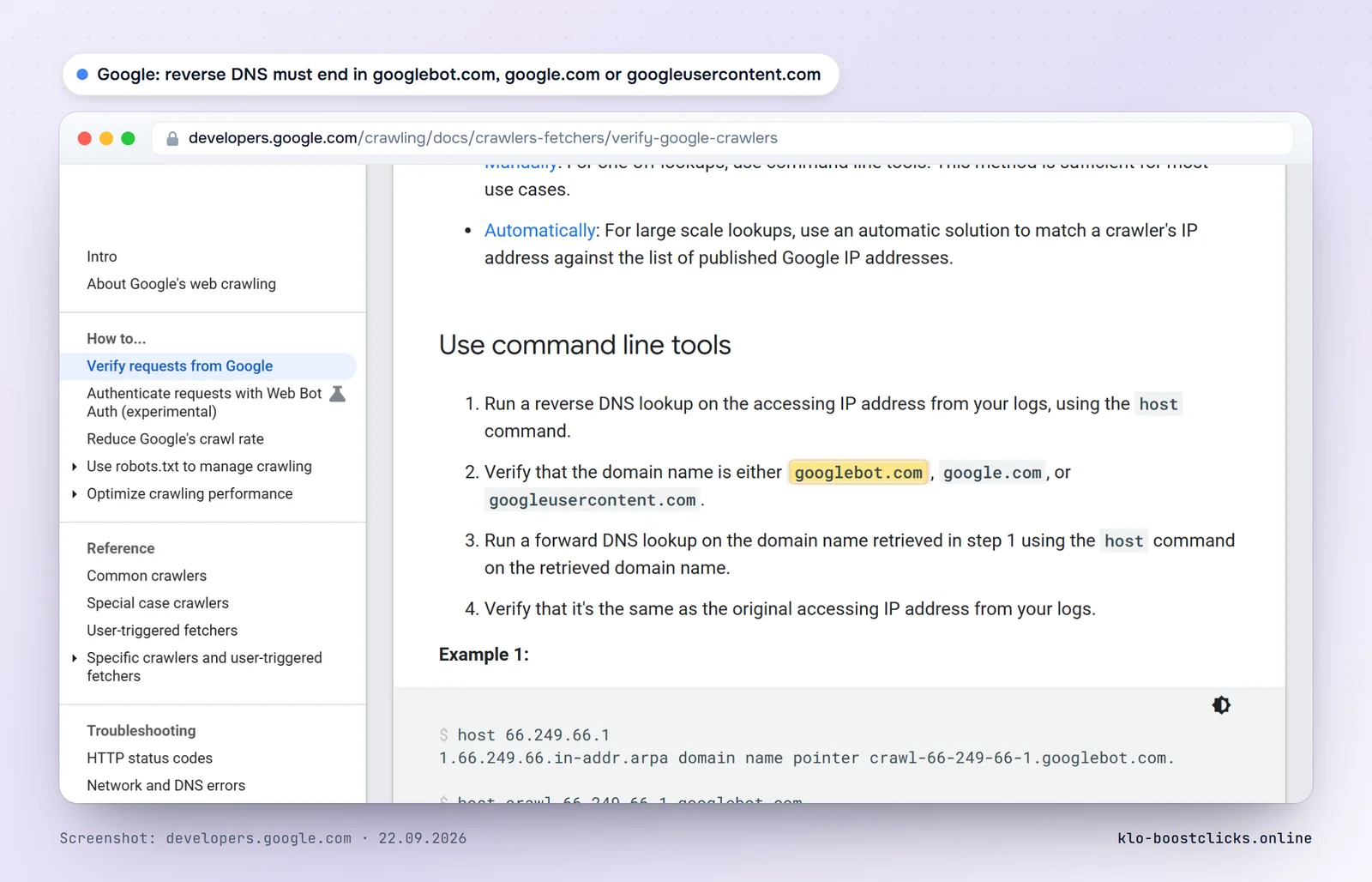
Google also publishes the IP ranges of its crawlers as JSON files. As of September 21, 2026 the files contained 317 prefixes for common crawlers, 272 for special-case crawlers including AdsBot, and 496 for user-triggered fetchers. The recommended verification is reverse DNS: the name must end in googlebot.com, google.com or googleusercontent.com, and the forward lookup must return the same IP.
What this means for a filter: a declared AdsBot from a published prefix is the easy part. A check that arrives with a normal Chrome user agent from a Google Cloud address is the hard part, and it is why network data has to cover Google's cloud ranges, not only the crawler ranges.
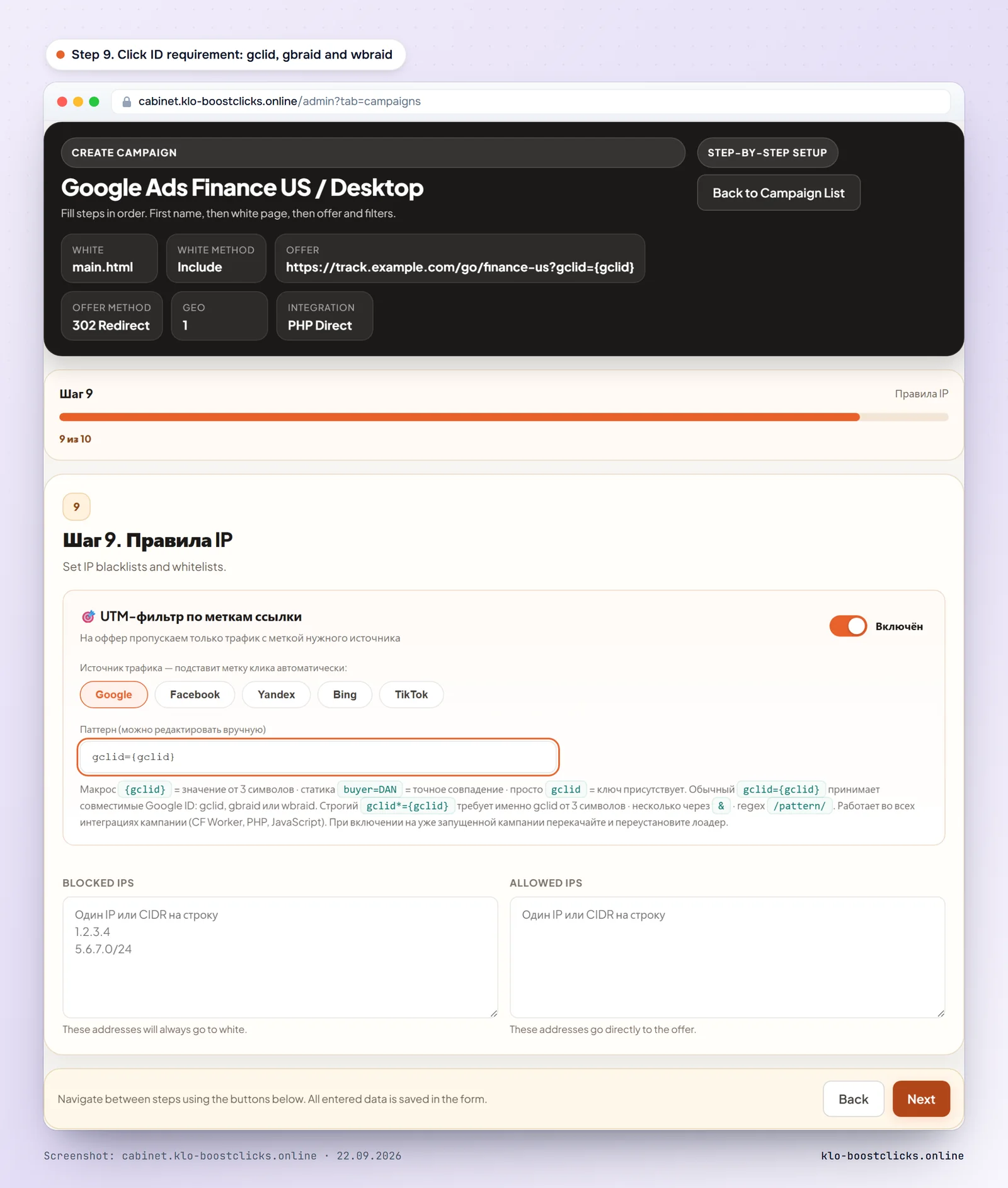
With auto-tagging on, every click from Google Ads carries a click ID. On most platforms it is gclid. On iOS 14.5 and later, where app tracking restrictions apply, Google uses gbraid for app-to-web and wbraid for web-to-app measurement instead. A filter that requires exactly gclid sends part of the real iOS traffic to white.
In KLO the click ID rule for Google accepts all three by default. The strict variant, which demands gclid only, exists for campaigns that never run on iOS.
Google scores the relevance between the ad and the destination. The white page must deliver what the ad promises, have contact details and a privacy policy, and load fast on mobile: AdsBot-Google-Mobile checks the mobile version separately. The white page guide has the checklist.
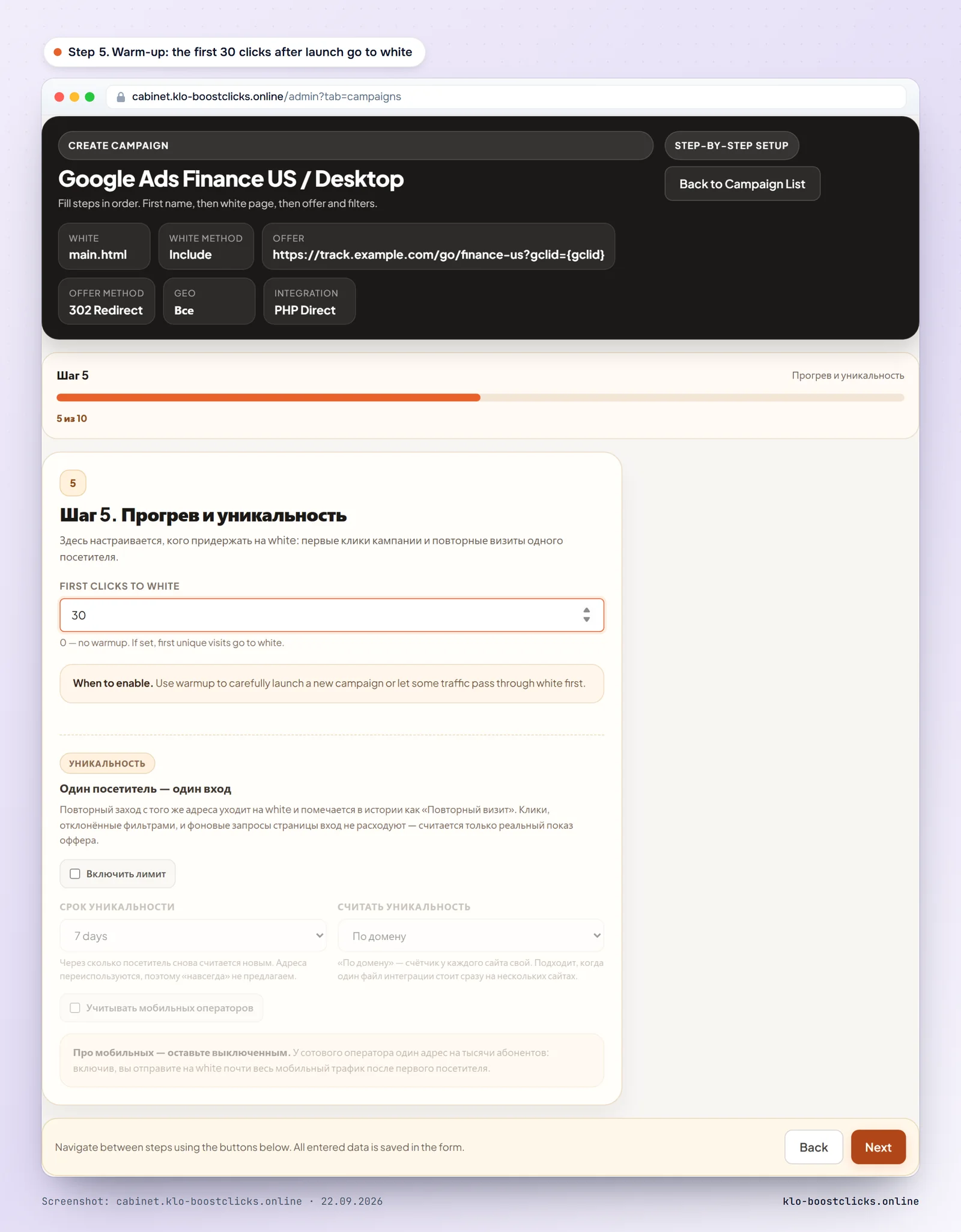
Source Google Ads, countries and devices from the campaign settings, the click ID requirement with gclid, gbraid and wbraid, the white and offer addresses. Warm-up is mandatory for a new campaign: the first AdsBot checks arrive right after launch and after every ad edit.
PHP loader, WordPress plugin, Keitaro module, SDK or Cloudflare Worker. For Google traffic the Worker option is particularly convenient: the decision is made at the edge before your hosting, and there are no cloaking files on the server that a manual review could find.
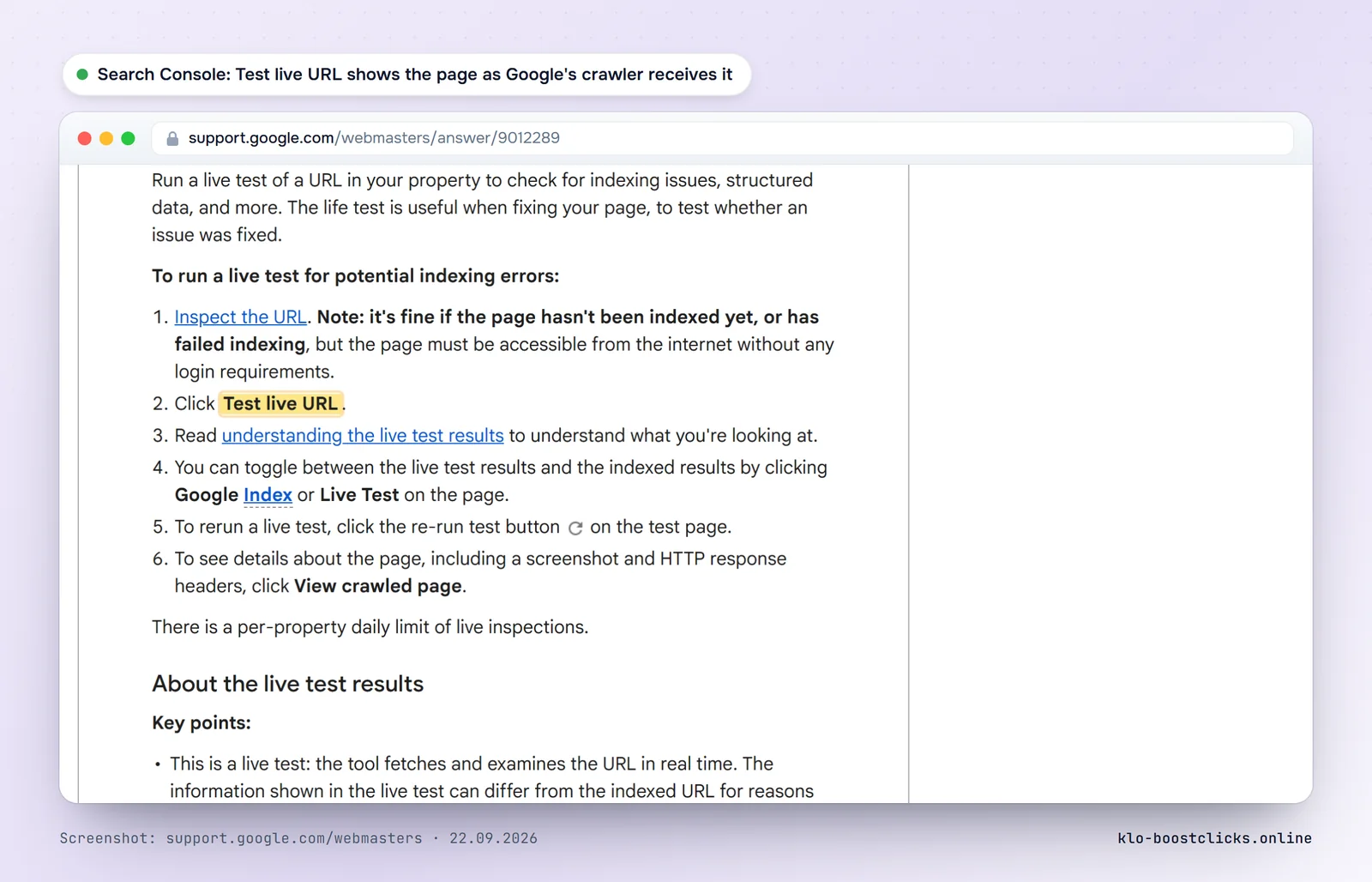
Search Console has a URL Inspection tool. The Test live URL button fetches the page with a Google crawler and shows the HTML and a screenshot it received. If the filter is configured correctly, you see the white page. This is the official way to confirm that Google's crawler gets what you intended for it.
After launch watch the visits from Google networks in the KLO statistics: their rhythm shows when a review has passed. A sharp rise in visits without a click ID from one subnet usually means a re-review or a spy tool.
Circumventing Systems is an egregious violation. Google can suspend the account on the first confirmed instance without a prior warning, and related accounts can be suspended as well. Appeals are possible but rarely succeed for this policy.
Not the global rule. Google documents that AdsBot-Google and AdsBot-Google-Mobile ignore User-agent: * directives and only follow rules addressed to them by name. Blocking them by name is not a good idea either: it tells Google you do not want the landing page reviewed.
Reverse DNS on the IP must resolve to a name ending in googlebot.com, google.com or googleusercontent.com, and a forward lookup of that name must return the same IP. Google also publishes JSON files with crawler IP ranges that a filter can load directly.
For Android and desktop, yes. On iOS 14.5 and later Google substitutes gbraid or wbraid. A filter that accepts only gclid loses part of the iOS traffic to the white page.
One that keeps current Google crawler and cloud ranges, accepts gclid, gbraid and wbraid, checks the mobile and desktop versions consistently and lets you verify the result with the Search Console live test. KLO ships those rules by default and has a 3-day trial without a card; the pricing comparison covers the alternatives.
KLO keeps bots, ad reviewers and fraud away from your offer page. 3-day trial with full START plan features, no card required.
Start for freeGuides for the English-speaking market: Facebook and Google Ads, service pricing, white pages. More guides are available in Russian.